Hellbox Documentation
Hellbox (formerly Font Proof) is a native macOS app for creating font proofs, the typographic test documents that type designers use to evaluate their work in progress. These docs are split by topic. Use the navigation to jump to section types, typography, font management, layered fonts, export, and the built-in MCP server.
How Hellbox Works
The core idea is simple: what you see is what you get.
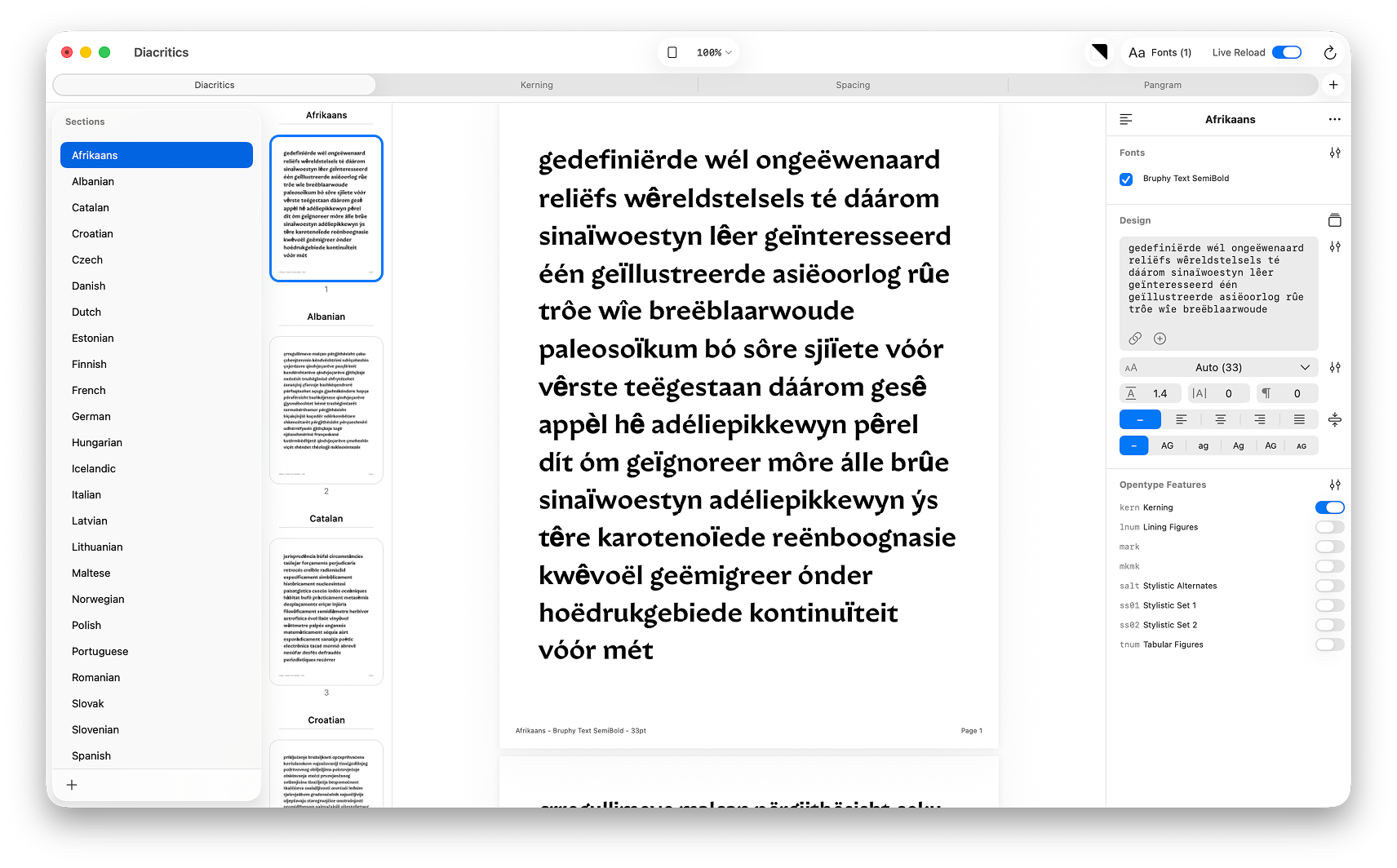 The Hellbox workspace: sidebar, proof viewer, and controls panel
Live PDF Rendering
Everything in Hellbox is rendered as a live PDF. The proof document is a real PDF that updates in real-time as you change settings, swap fonts, or edit content. This isn’t a web preview or a rough approximation; it’s the same CoreText rendering pipeline that produces the final exported PDF. What you see on screen is exactly what you’ll get in print.
The PDF viewer supports single page, two-page, and continuous scroll display modes with zoom from 10% to 1000%.
Document Structure
A Hellbox document (.fontproof) is a JSON file containing one or more sections. Each section has its own type (Simple, Waterfall, Glyph Set, etc.), its own text content, and its own independent typography settings. Sections are displayed sequentially in the proof, and each section generates one or more pages depending on content length and the “overflow to multiple pages” setting.
Fonts are selected at the document level and shared across sections. By default, each section renders a separate page for each selected font. Sections can override this with per-section font selection, font disabling, or inline font mixing.
Page layout (dimensions, margins, header position) is set at the document level. Dozens of presets are available (Letter, A4, device screens, etc.) or you can specify custom dimensions.
The Workflow
- Create a new document or use a template
- Add fonts, from the system, imported files, or directly from Glyphs.app
- Add sections, choose a type, enter or link content, adjust typography
- The proof renders live as you work
- Export to PDF for print or markup
Hellbox is designed to stay open alongside your font editor. With Live Reload enabled, changes you make in Glyphs are reflected in the proof within seconds.
Live Glyphs Integration
Hellbox connects directly to Glyphs.app via a native Objective-C bridge. When you select a Glyphs font in Hellbox, the app exports and registers that instance in real-time.
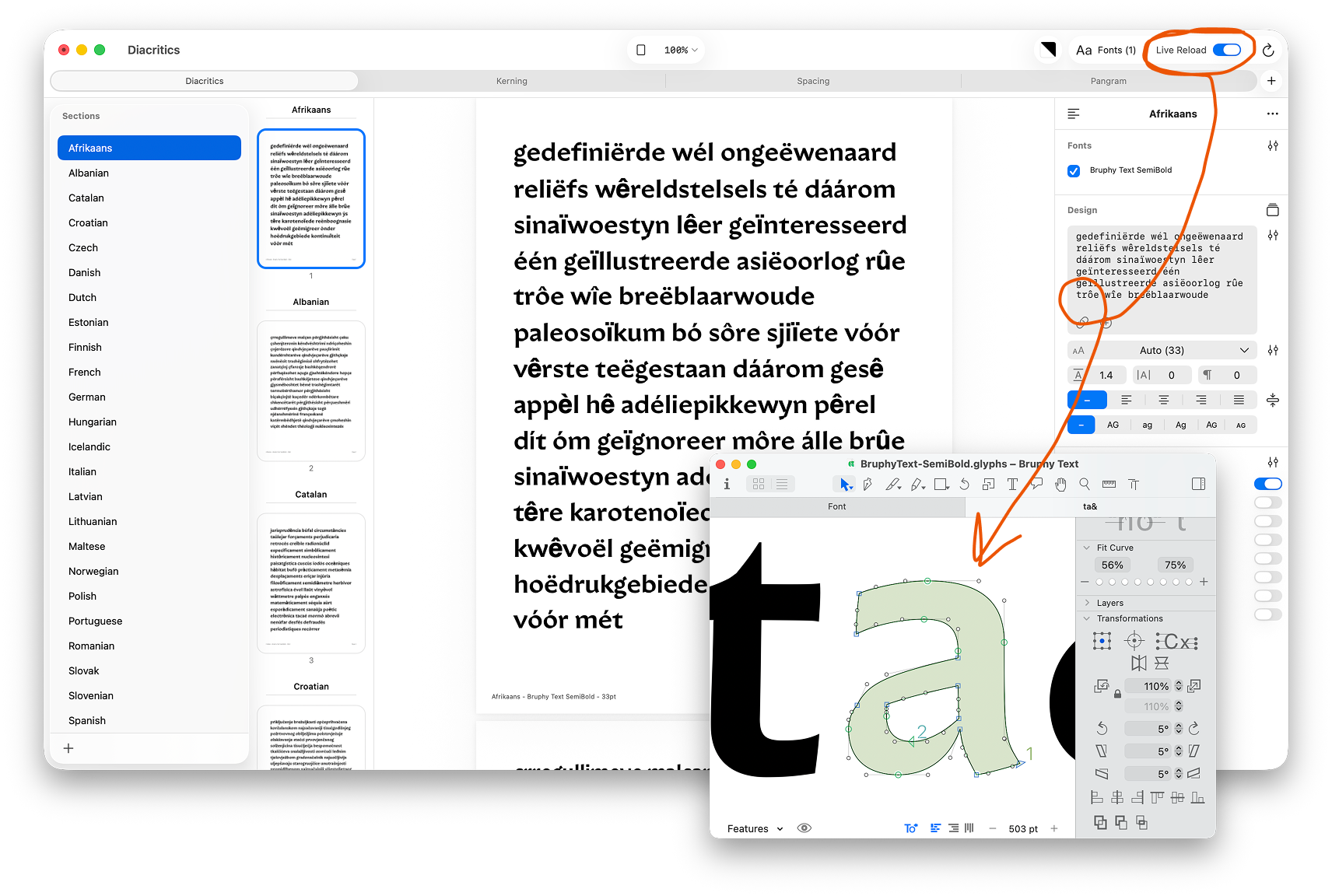 Glyphs.app and Hellbox running side by side with Live Reload enabled
- Monitors open Glyphs documents for changes (font edits, instance changes, document open/close)
- Exports instances to a temp directory and registers them with CoreText
- Tracks instances by index (not just name) to handle duplicate style names
- Debounced reloads prevent redundant exports during rapid edits
- Toggleable via the “Live Reload” switch in the toolbar
- Supports “Install for Testing” fonts from Glyphs as a separate source
Type designers working in Glyphs can see their changes in a professional proof layout instantly, without exporting, installing, or refreshing anything.
Live Reload for UFO, designspace, and fonts
Glyphs gets a direct bridge, so Hellbox detects which documents are open on its own. Other sources work a little differently: Hellbox can’t see what’s open in your other editors, so you point it at the specific source instead. Once a source is added, Hellbox watches that file and reloads it the moment you save.
- UFO and designspace: add a
.ufoor.designspaceand Hellbox compiles it. Edit a master in any editor and save, and the proof recompiles and updates live. Your chosen variable-font axis is kept across recompiles. - Imported fonts: any
.otf,.ttf,.ttc, or.varyou add is watched too. Re-export or re-save the file and Hellbox reloads it automatically. - Watched folders: point Hellbox at a folder and it keeps the proof in sync as fonts and sources inside it are added, changed, or removed.
Live Reload is a single master switch in the toolbar that covers every source: Glyphs, UFO and designspace, watched folders, and imported fonts. Whatever you are working on, if you resave it, Hellbox reloads it.